| Voir le sujet précédent :: Voir le sujet suivant |
| Auteur |
Message |
poilu 

Inscrit le: 26 Août 2007
Messages: 10476
Localisation: Greece
Expire: 2019-08-29
|
 Posté: Lun Mar 22, 2010 6:01 pm Sujet du message: raw hardware artifacts from RGGB |
|
Posté: Lun Mar 22, 2010 6:01 pm Sujet du message: raw hardware artifacts from RGGB |
|
|
poilu wrote:
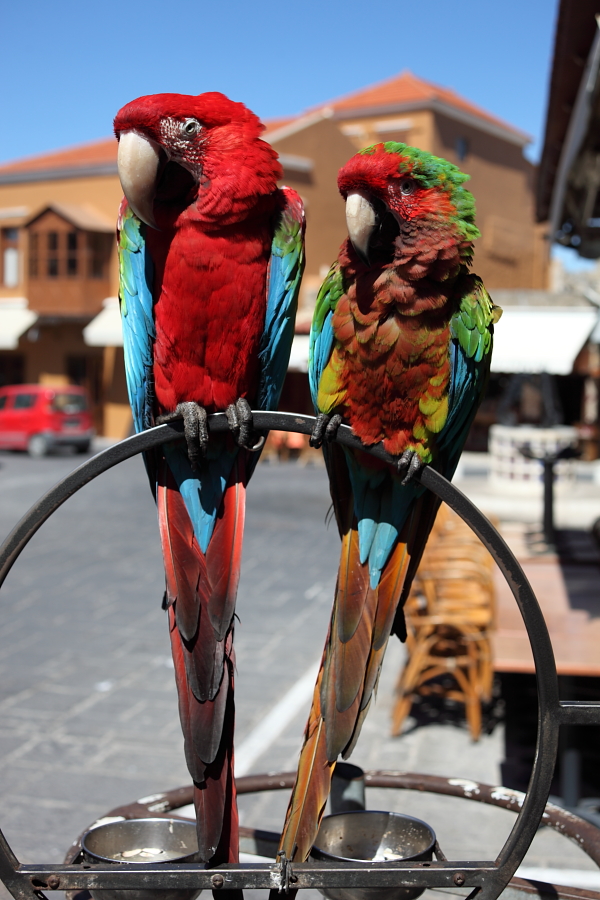
I have some strange artifacts with 5DII
I try Bibble, C1, ACDsee, Breeze, pp with 0 sharpening and all give those jigged line & artifacts
I believe that the raw get hardware sharpening that it is not possible to avoid
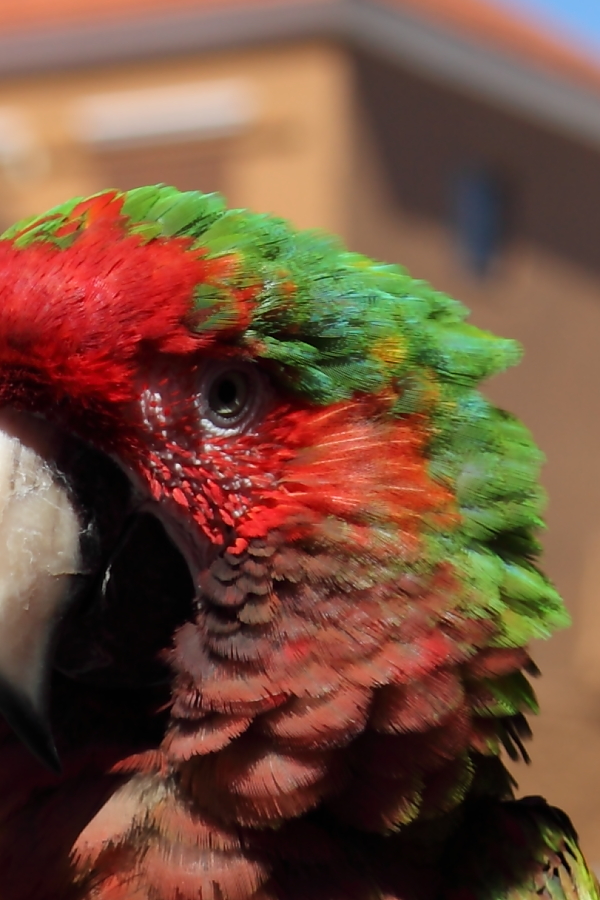
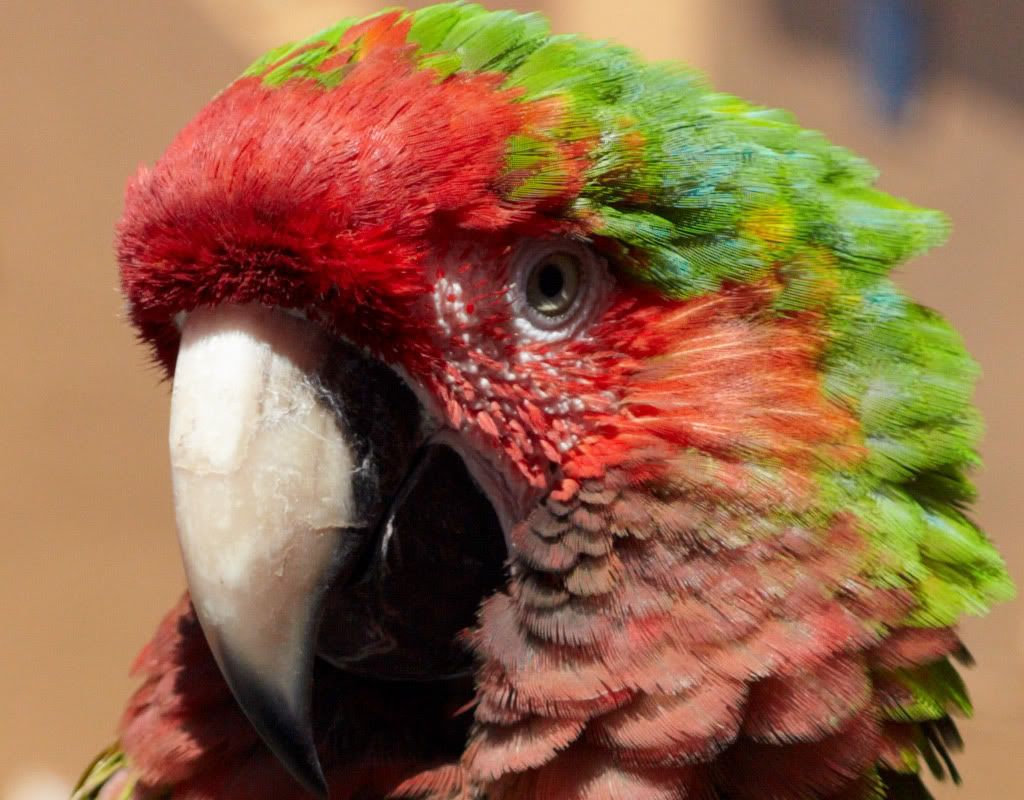
100% crop, 0 sharpening, look over the eye, like already sharpened
contax 35-70, 200 iso
-------------------------------
edit: I found a solution, scroll down to read it 
_________________
T*
Dernière modification par poilu le Mar Mar 23, 2010 3:56 pm ; modifié 1 fois au total |
|
| Haut de page |
|
 |
Olivier

Inscrit le: 18 Fév 2009
Messages: 5097
Localisation: France
Expire: 2015-08-06
|
Posté: Lun Mar 22, 2010 6:29 pm Sujet du message: |
|
Posté: Lun Mar 22, 2010 6:29 pm Sujet du message: |
|
|
Olivier wrote:
and with DPP 3.8 ?
Do you have the same artifacts ?
_________________
Olivier - Moderator 
Dslr : Olympus Pen E-P2 - Fujifilm X-Pro2 - Canon 5D MkIII.
SLr and MF lenses : for feedback and helping people, cameras and lenses I own : full list here http://forum.mflenses.com/viewtopic,p,1442740.html#1442740 |
|
| Haut de page |
|
|
n6mod

Inscrit le: 20 Oct 2008
Messages: 134
Localisation: Boulder Creek, CA, USA
|
Posté: Lun Mar 22, 2010 6:47 pm Sujet du message: |
|
Posté: Lun Mar 22, 2010 6:47 pm Sujet du message: |
|
|
n6mod wrote:
Those don't look like sharpening artifacts as much as just aliasing. It looks like the 5DII has a weak AA filter, which I'd say is a good thing.
I'd try RPP (if you have access to a Mac) or dcraw, but I don't think that's sharpening. |
|
| Haut de page |
|
|
poilu
Inscrit le: 26 Août 2007
Messages: 10476
Localisation: Greece
Expire: 2019-08-29
|
Posté: Lun Mar 22, 2010 7:45 pm Sujet du message: |
|
Posté: Lun Mar 22, 2010 7:45 pm Sujet du message: |
|
|
poilu wrote:
| Olivier a écrit: |
and with DPP 3.8 ?
Do you have the same artifacts ? |
BreezeBrowser use Canon algo and have the same artifacts
| n6mod a écrit: |
Those don't look like sharpening artifacts as much as just aliasing. It looks like the 5DII has a weak AA filter, which I'd say is a good thing.
I'd try RPP (if you have access to a Mac) or dcraw, but I don't think that's sharpening |
I tried raw therapee who use dcraw and got same artifacts
I guess the AA filter is weak, all my lenses are very sharp at 100%
_________________
T* |
|
| Haut de page |
|
|
no-X


Inscrit le: 19 Juil 2008
Messages: 2495
Localisation: Budejky, Czech Republic
|
Posté: Lun Mar 22, 2010 10:39 pm Sujet du message: |
|
Posté: Lun Mar 22, 2010 10:39 pm Sujet du message: |
|
|
no-X wrote:
I believe there is applied some sharpening after (or during) the debayering process. Bayer mask consists of 25% blue, 25% red and 50% green, so the channels have different level of sharpness, which is probably corrected in some way...
_________________
(almost) complete list of Helios lenses |
|
| Haut de page |
|
|
n6mod
Inscrit le: 20 Oct 2008
Messages: 134
Localisation: Boulder Creek, CA, USA
|
Posté: Lun Mar 22, 2010 10:50 pm Sujet du message: |
|
Posté: Lun Mar 22, 2010 10:50 pm Sujet du message: |
|
|
n6mod wrote:
[quote="no-X" so the channels have different level of sharpness, which is probably corrected in some way...[/quote]
Well, there's interpolation going on, and this is deeply related to the sort of aliasing you see. It's not *sharpening* per se.
Certainly these effects will disappear if you avoid interpolation by using the -h option to dcraw (or RPP's "half" mode), which averages the two green sensels and presents a group of four sensels as a single pixel.
And we're dangerously close to awakening the Foveon enthusiasts...  |
|
| Haut de page |
|
|
poilu
Inscrit le: 26 Août 2007
Messages: 10476
Localisation: Greece
Expire: 2019-08-29
|
Posté: Mar Mar 23, 2010 7:08 am Sujet du message: |
|
Posté: Mar Mar 23, 2010 7:08 am Sujet du message: |
|
|
poilu wrote:
| n6mod a écrit: |
| Certainly these effects will disappear if you avoid interpolation by using the -h option to dcraw |
the -h option give the same result as resizing full image
left dcraw -h ... right C1 sized 50% nearest neighbor
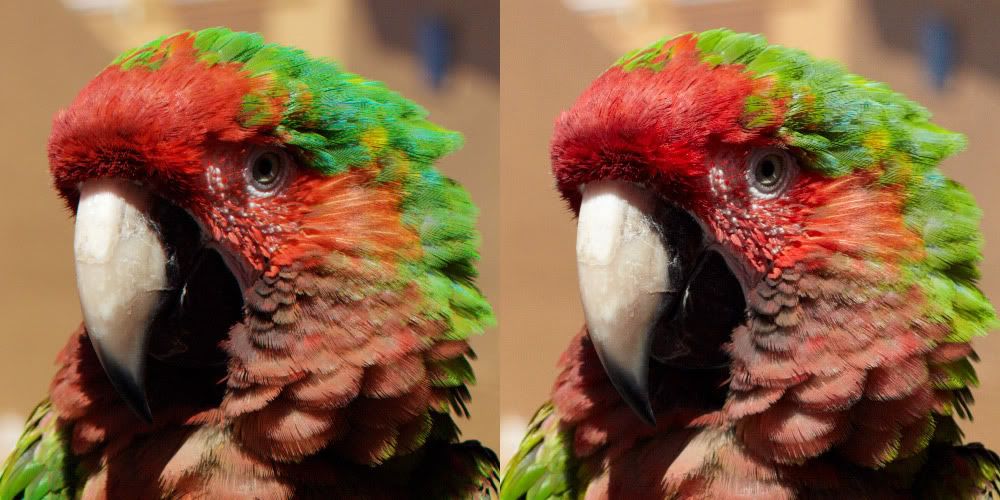
as green channel seems affected, it can be result of bayer interpolation
I can live with some artifacts, I just hope Canon will not follow Sony way and alter raw with hardware denoising for marketing
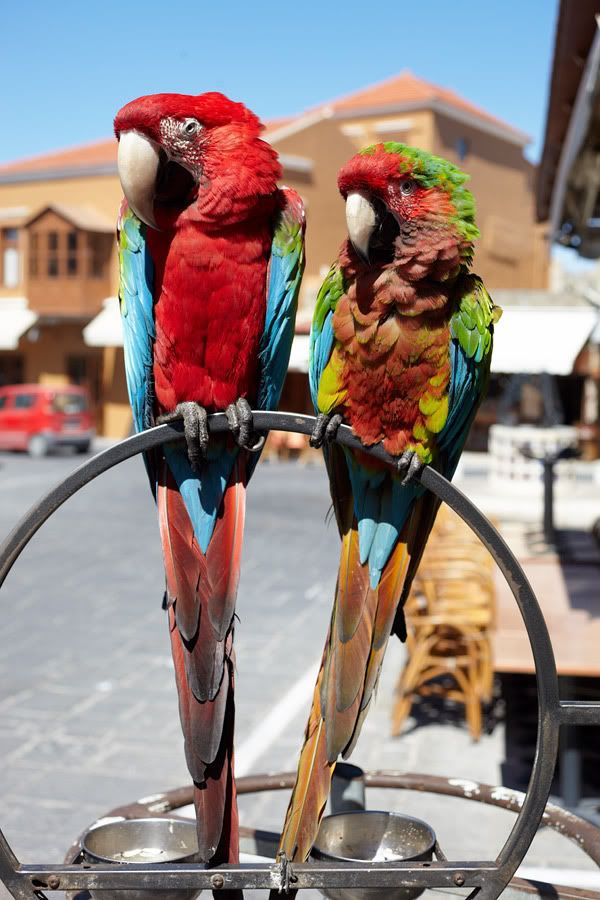
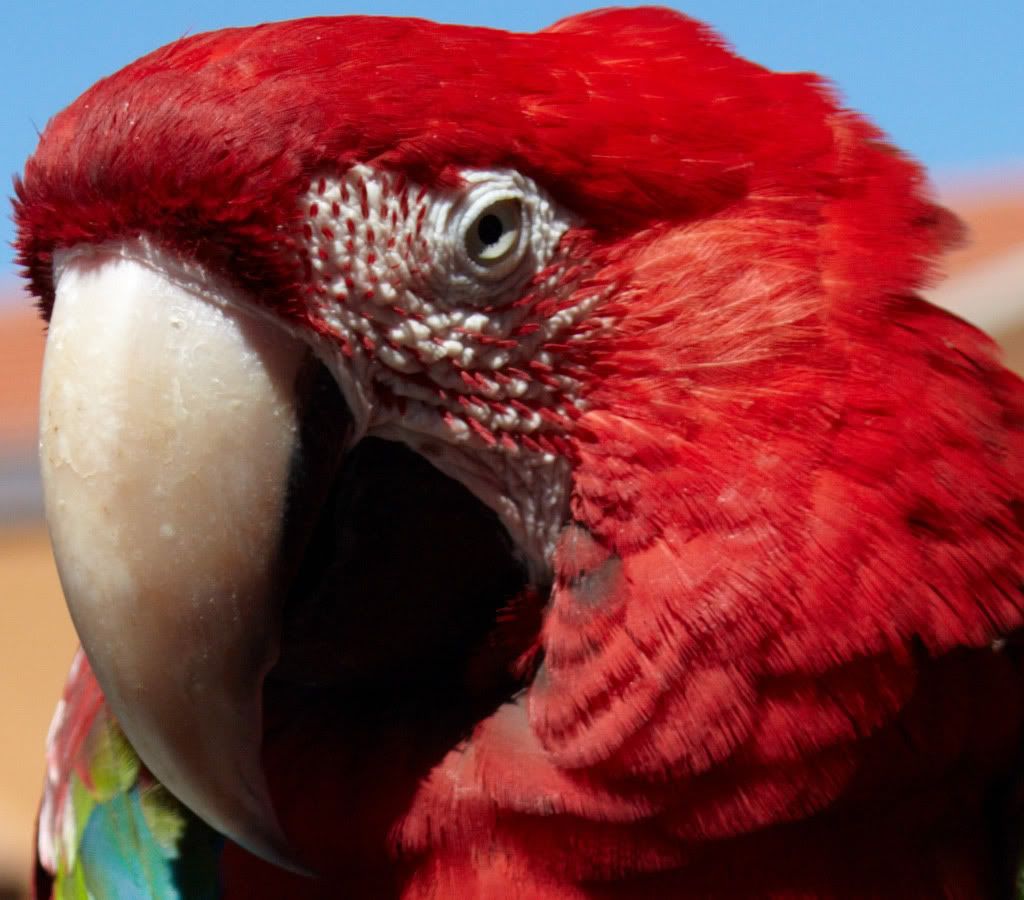
left parrot 100% no sharpening, no problem
_________________
T* |
|
| Haut de page |
|
|
n6mod
Inscrit le: 20 Oct 2008
Messages: 134
Localisation: Boulder Creek, CA, USA
|
Posté: Mar Mar 23, 2010 8:06 am Sujet du message: |
|
Posté: Mar Mar 23, 2010 8:06 am Sujet du message: |
|
|
n6mod wrote:
| poilu a écrit: |
as green channel seems affected, it can be result of bayer interpolation
|
There's no interpolation with -h, just averaging the two values.
| poilu a écrit: |
left parrot 100% no sharpening, no problem
|
But that's a monochrome target, basically.
Seems I was wrong that the artifacts went away with -h, in fact they moved around. I think that's still consistent with aliasing (fine detail at pixel scale).
I'll say this. That's one heck of a lens to expose aliasing on a 5DII! |
|
| Haut de page |
|
|
Anu
Inscrit le: 14 Avr 2009
Messages: 879
|
Posté: Mar Mar 23, 2010 8:16 am Sujet du message: Re: raw hardware sharpening artifacts |
|
Posté: Mar Mar 23, 2010 8:16 am Sujet du message: Re: raw hardware sharpening artifacts |
|
|
Anu wrote:
| poilu a écrit: |
I have some strange artifacts with 5DII
I try Bibble, C1, ACDsee, Breeze, pp with 0 sharpening and all give those jigged line & artifacts
I believe that the raw get hardware sharpening that it is not possible to avoid
|
No, there is no hardware sharpening, just a weak AA-filter and a sharp lens. You may be able to ease this problem by using a worse lens  Or maybe add some grease to the front (or even rear) element
This image of a parrot has clear problems induced by a bad demosaicing process, ugly artifacts. Even though Lightroom 1.4's (which is at the moment the tool I use) demosaicing is not that good in general, I've never seen anything like the ugliness in some of the feathers (and Pentax K20D also has rather weak AA-filter - aliasing is occasionally seen). |
|
| Haut de page |
|
|
poilu
Inscrit le: 26 Août 2007
Messages: 10476
Localisation: Greece
Expire: 2019-08-29
|
Posté: Mar Mar 23, 2010 3:55 pm Sujet du message: |
|
Posté: Mar Mar 23, 2010 3:55 pm Sujet du message: |
|
|
poilu wrote:
I guess I have to put some grease to my lens
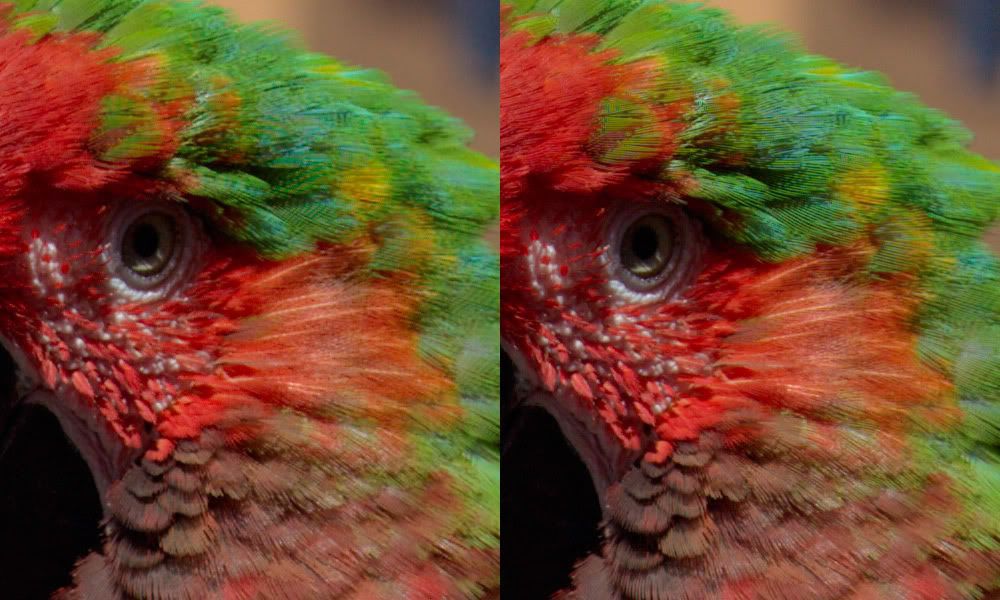
I found the solution with dcraw with parameter -f : Interpolate RGGB as four colors
so the problem occur with mixing of the 2 Greens in RGGB matrices
dcraw left with -f , right normal
--- edit ----
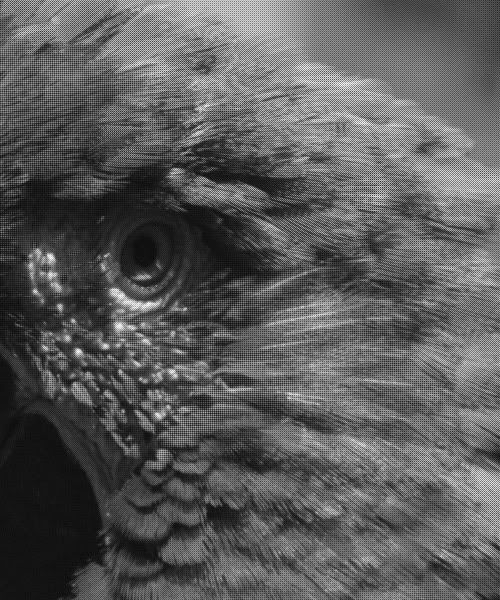
but the -f kill resolution
the sensor data with dcraw -D show that the jigged lines are already there
look like a aliasing problem from sharp Zeiss lens
in those condition, the normal dcraw output made a better job than capture one
_________________
T*
Dernière modification par poilu le Mer Mar 24, 2010 10:40 am ; modifié 1 fois au total |
|
| Haut de page |
|
|
Arkku

Inscrit le: 28 Fév 2007
Messages: 1416
Localisation: Helsinki, Finland
|
Posté: Mar Mar 23, 2010 6:29 pm Sujet du message: |
|
Posté: Mar Mar 23, 2010 6:29 pm Sujet du message: |
|
|
Arkku wrote:
| poilu a écrit: |
I found the solution with dcraw with parameter -f : Interpolate RGGB as four colors |
Would it be possible for you to post the raw file somewhere? A file known to be problematic with most converters would be an interesting way to test the behaviour of different utilities. |
|
| Haut de page |
|
|
poilu
Inscrit le: 26 Août 2007
Messages: 10476
Localisation: Greece
Expire: 2019-08-29
|
Posté: Mar Mar 23, 2010 7:22 pm Sujet du message: |
|
Posté: Mar Mar 23, 2010 7:22 pm Sujet du message: |
|
|
poilu wrote:
| Arkku a écrit: |
| Would it be possible for you to post the raw file somewhere? |
http://rapidshare.com/files/367267231/parrot.CR2
if you find a different behavior with your raw converter, share it here
_________________
T* |
|
| Haut de page |
|
|
Arkku
Inscrit le: 28 Fév 2007
Messages: 1416
Localisation: Helsinki, Finland
|
Posté: Mar Mar 23, 2010 8:26 pm Sujet du message: |
|
Posté: Mar Mar 23, 2010 8:26 pm Sujet du message: |
|
|
Arkku wrote:
Thanks, and I will, although I'm waiting to upgrade my computer in the next few weeks/months, and don't have many different converters installed on my current one. |
|
| Haut de page |
|
|
Olivier
Inscrit le: 18 Fév 2009
Messages: 5097
Localisation: France
Expire: 2015-08-06
|
Posté: Mar Mar 23, 2010 9:09 pm Sujet du message: |
|
Posté: Mar Mar 23, 2010 9:09 pm Sujet du message: |
|
|
Olivier wrote:
I noticed your firmware is 2.03.
Try with the new one ?
Do you shoot in sRVB ?
I tried in DPP 3.8 and worked only on the luminance noise reduction. I set it to 6 which is a lot.
Here are the results. I don't know wether it's better or not :
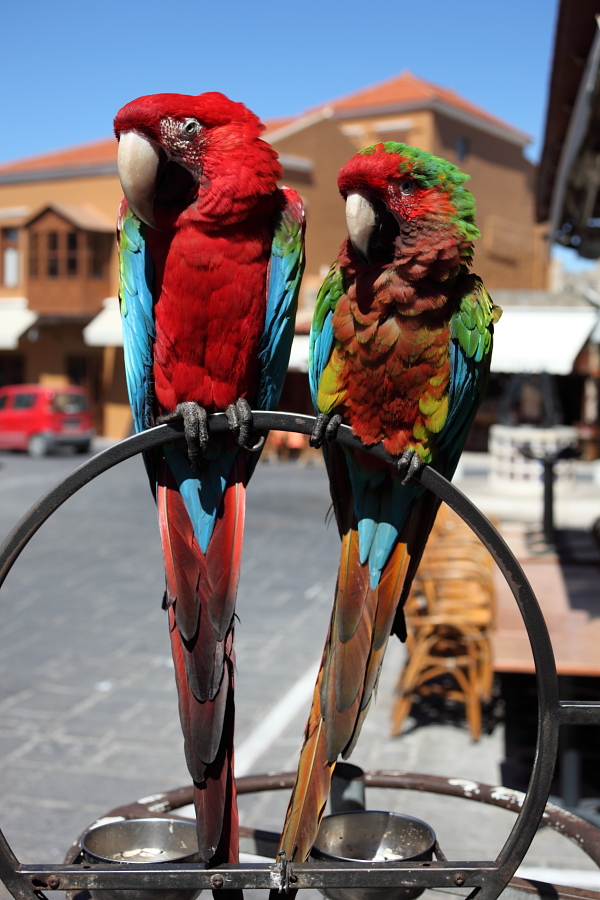 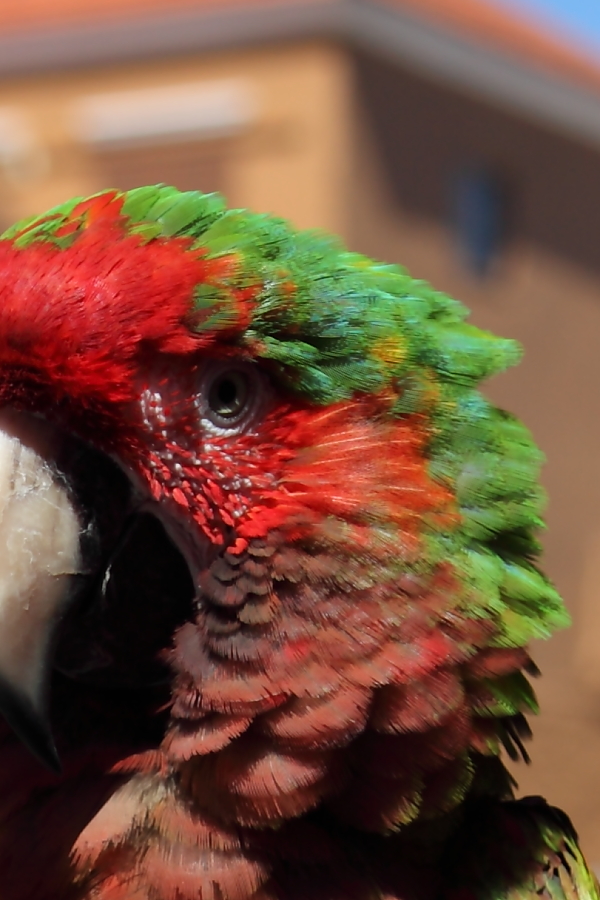
_________________
Olivier - Moderator
Dslr : Olympus Pen E-P2 - Fujifilm X-Pro2 - Canon 5D MkIII.
SLr and MF lenses : for feedback and helping people, cameras and lenses I own : full list here http://forum.mflenses.com/viewtopic,p,1442740.html#1442740 |
|
| Haut de page |
|
|
poilu
Inscrit le: 26 Août 2007
Messages: 10476
Localisation: Greece
Expire: 2019-08-29
|
Posté: Mar Mar 23, 2010 9:26 pm Sujet du message: |
|
Posté: Mar Mar 23, 2010 9:26 pm Sujet du message: |
|
|
poilu wrote:
| Olivier a écrit: |
I tried in DPP 3.8 and worked only on the luminance noise reduction. I set it to 6 which is a lot.
Here are the results. I don't know wether it's better or not |
nice try Olivier, but with noise to 6, it look like from a m4:3 
| Citation: |
I noticed your firmware is 2.03.
Try with the new one ?
Do you shoot in sRVB ? |
firmware and srgb doesn't affect the raw who is a copy from the sensor
the jpg could get tweaked but no effects on raw conversion
_________________
T* |
|
| Haut de page |
|
|
Olivier
Inscrit le: 18 Fév 2009
Messages: 5097
Localisation: France
Expire: 2015-08-06
|
Posté: Mer Mar 24, 2010 7:56 am Sujet du message: |
|
Posté: Mer Mar 24, 2010 7:56 am Sujet du message: |
|
|
Olivier wrote:
You're right, Poilu.
_________________
Olivier - Moderator
Dslr : Olympus Pen E-P2 - Fujifilm X-Pro2 - Canon 5D MkIII.
SLr and MF lenses : for feedback and helping people, cameras and lenses I own : full list here http://forum.mflenses.com/viewtopic,p,1442740.html#1442740 |
|
| Haut de page |
|
|
poilu
Inscrit le: 26 Août 2007
Messages: 10476
Localisation: Greece
Expire: 2019-08-29
|
Posté: Jeu Mar 25, 2010 6:35 pm Sujet du message: |
|
Posté: Jeu Mar 25, 2010 6:35 pm Sujet du message: |
|
|
poilu wrote:
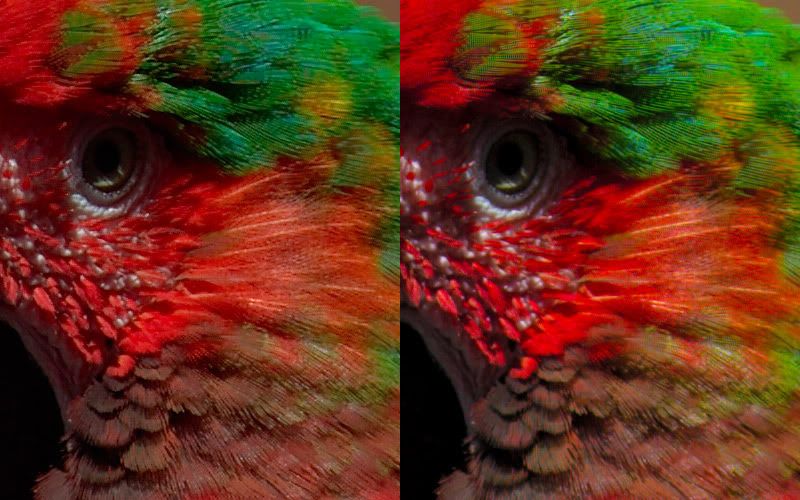
raw therapee have a demosaicing algorithm called VNG-4 who give good result
left VNG-4 ... right Bibble 5.3 no sharpening
_________________
T* |
|
| Haut de page |
|
|
kansalliskala

Inscrit le: 19 Juil 2007
Messages: 5122
Localisation: Southern Finland countryside
Expire: 2016-12-30
|
Posté: Ven Mar 26, 2010 7:59 am Sujet du message: |
|
Posté: Ven Mar 26, 2010 7:59 am Sujet du message: |
|
|
kansalliskala wrote:
| poilu a écrit: |
raw therapee have a demosaicing algorithm called VNG-4 who give good result
left VNG-4 ... right Bibble 5.3 no sharpening
|
VNG four color interpolation? Also in DCRaw (UFRaw).
_________________
MF: Kodak DCS SLR/c; Samsung NX10; OM-10; Canon T50
Zuiko 28/3.5, Distagon 35/2.8; Yashica ML 50/2;
Zuiko 50/1.4; S-M-C 120/2.8; Zuiko 135/3.5; 200/5;
Tamron AD1 135/2.8, Soligor 180/3.5; Tamron AD1 300/5.6
Tamron zooms: 01A, Z-210
Yashicaflex C; Київ 4 + Юпитер 8, 11; Polaroid 100; Olympus XA; Yashica T3
Museum stuff: Certo-Phot; Tele-Edixon 135; Polaris 90-190; Asahi Bellows; Ixus IIs
Projects: Agfa Isolette III (no shutter), Canon AE-1D (no sensor),
Nikon D80 (dead), The "Peace Camera"
AF: Canon, Tokina, Sigma Video: JVC GZ-MG275E |
|
| Haut de page |
|
|
|
|
|
Vous ne pouvez pas publier de nouveaux sujets dans ce forum
Vous ne pouvez pas répondre aux sujets de ce forum
Vous ne pouvez pas modifier vos messages dans ce forum
Vous ne pouvez pas supprimer vos messages dans ce forum
Vous ne pouvez pas voter dans les sondages de ce forum
|
 Français
 Español
 中文
 Magyar
 Русский
 Deutsch
 日本語